
Training Videos & Articles
If we don’t answer your question, send us a quick note at [email protected].
Geoforce Videos
Navigation Menu
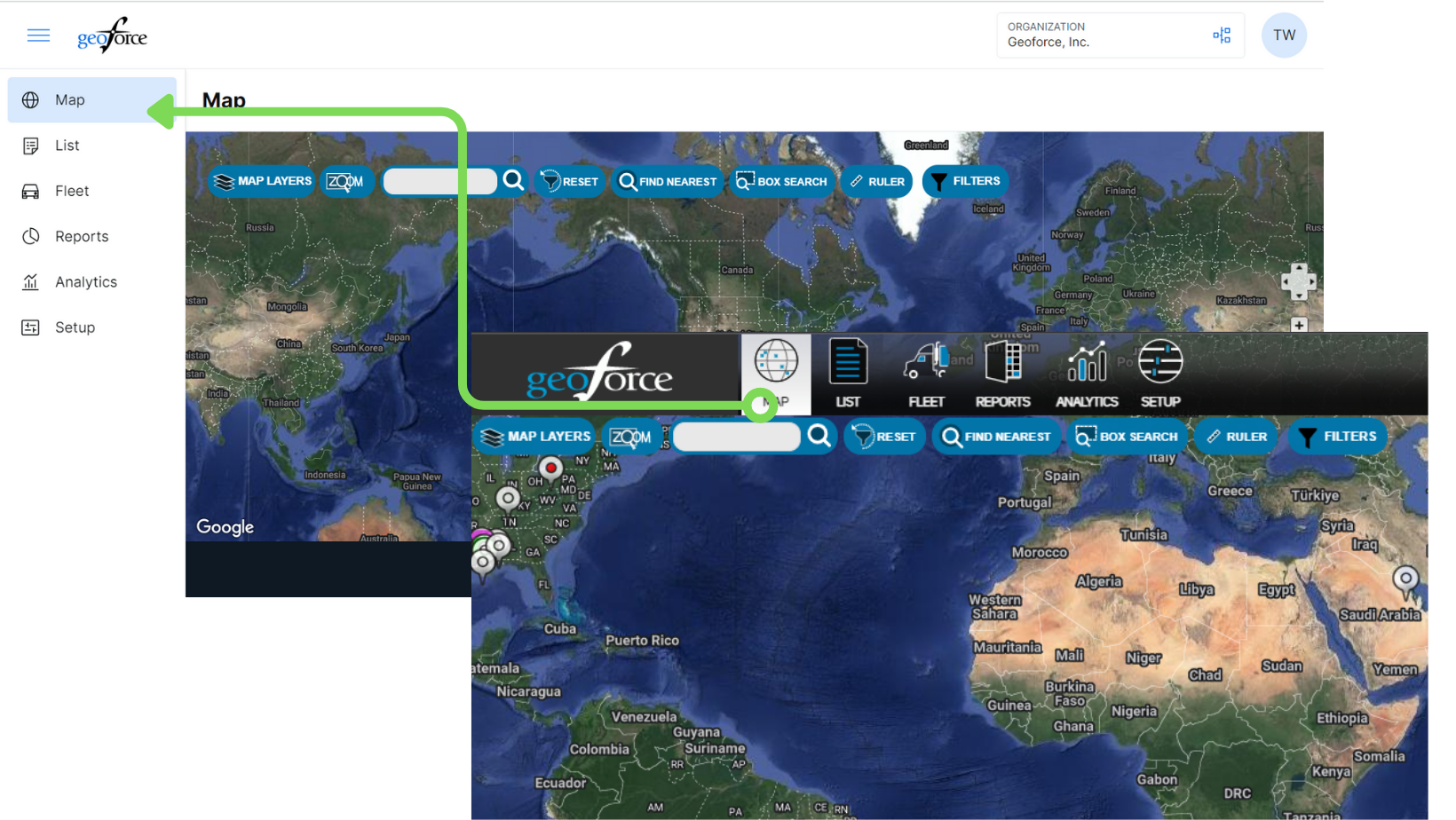
When viewing some of the training videos you may notice a change as the menu bar has now moved to the side of your screen, allowing for better access of your map and tools you use in Track & Trace. The process in the video beyond the menu selection will remain the same. These videos will be updated soon, so make sure to check back for new and updated content.
Track and Trace: Getting Started (First Steps)
Track and Trace: Map Tutorial
Track and Trace: List View Tutorial
Track and Trace: How to Edit an Asset
Track and Trace: Creating Groups
Track and Trace: Creating & Using Named Locations (Geofences)
Track and Trace: Creating New Users & Drivers
Track and Trace: Add an Asset Image
Track and Trace: Maintenance Tasks
Geoforce Quick Tutorial: Group your Assets
Mobile Field Tool

Prefer to read?
Click Here for the full MFT Guide
Mobile Field Tool – Adding New Tags To Assets